Make a Recipe
Turn a cooking video into ingredients, equipment, and ordered steps. Quantities, temperatures, and timings have their own evidence labels. Missing details stay visible.
Make a recipe in the app →Get the important ideas, visual details, and practical steps from the videos you watch. Create a free account. Your first three reports are on us.
Try VideoLens free →No API key. No credit card. Just your email.
Already have an account? Get the extension →Works in Chrome and Firefox on desktop.
Read a timestamped sample report →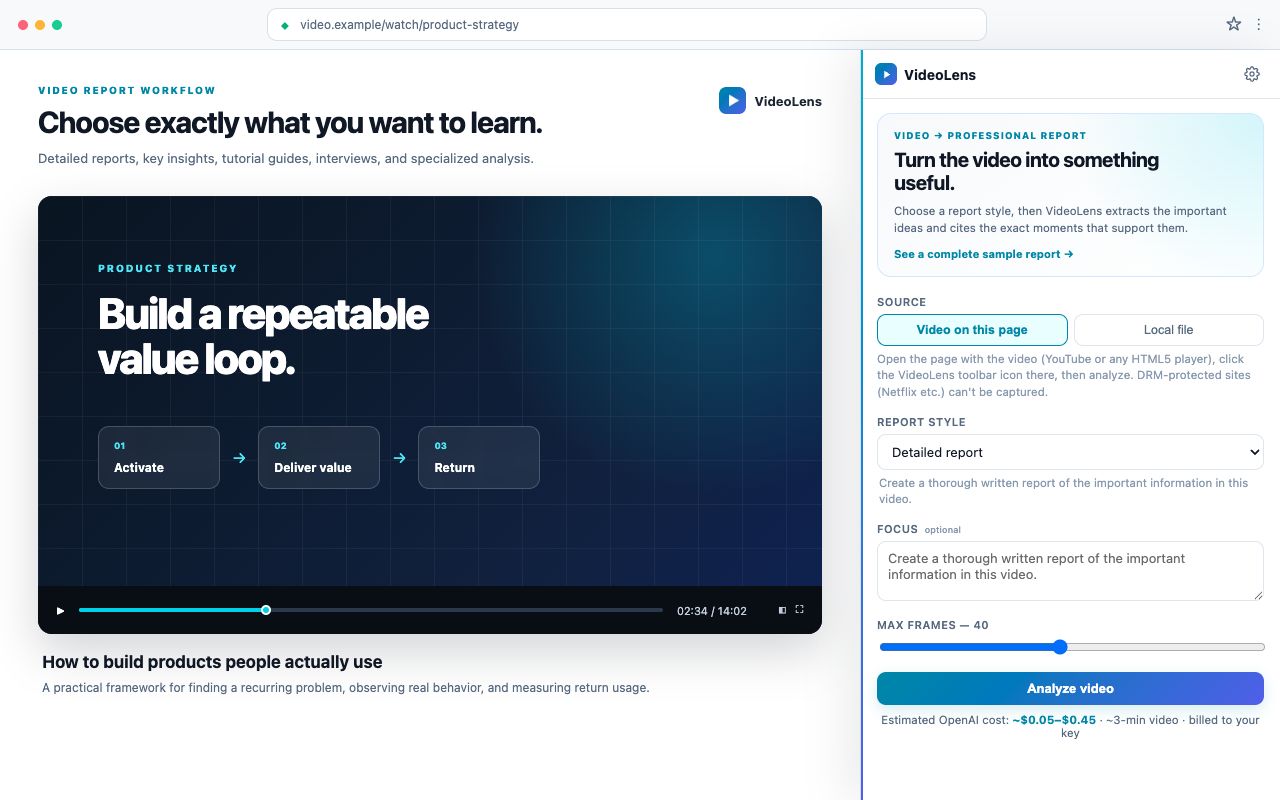
Create your free account, add VideoLens to Chrome or Firefox, and connect it from extension Settings. Open a video and create your first report—no API key or credit card needed.
Sharing VideoLens? Use videolens.io/chrome or videolens.io/firefox for a browser-specific install page.
Use your email and password. No API key or credit card needed.
Connect the extension, open a video, and choose a report, lesson, or guide.
Read and save your three free reports. Subscribe when you’re ready for more.
VideoLens goes beyond a transcript summary by combining speech, frame-level vision, and on-screen text before it writes the report.
Start with the video you do not have time to watch or want to preserve as a readable reference. Local files and many other video platforms remain supported.
Create a detailed report, extract only key insights, turn a tutorial into a guide, or structure an interview or podcast. You can edit the prompt too.
Important claims cite specific timestamps. Jump back to the source, ask follow-up questions, or keep a professional standalone HTML or PDF report.
Resolve the source. Extract everything. Build a timeline. Synthesize a report. Each step is cached at .videolens/cache/<hash>/ so re-runs are cheap and follow-up questions cost cents.
Detects local file, YouTube, Loom, Vimeo, direct URL, generic page. Reports limitations clearly when a site isn't fully supported.
yt-dlp fetches remote video, ffmpeg samples frames and chunks audio, OpenAI transcribes each chunk, AI vision describes sampled frames and reads visible text.
Frame summaries and transcript segments are merged into time-windowed segments — each with visual, OCR, transcript, scene type, and confidence.
Analysis of the timeline, your prompt, and the selected report style → structured findings, evidence citations, recommendations, and ticket-ready tasks.
A thorough explanation of the thesis, main ideas, supporting examples, caveats, conclusions, and practical takeaways.
Use when you want a lasting written reference, not a five-line summary.
The ideas, facts, examples, and conclusions worth remembering, with repetition and filler removed.
Use when you need the signal quickly but still want evidence.
Prerequisites, ordered steps, exact commands or settings, warnings, examples, and verification checks.
Use when the written instructions are more useful than replaying the tutorial.
The same evidence-grounded engine can handle other sources and specialized questions without complicating the core YouTube-to-report experience.
Detailed summaries, visual context, follow-up questions, and timestamped evidence.
Transcript, frame vision, OCR, and cited reports.
Bug steps, UI evidence, UX friction, and tasks.
Review individual product sessions with evidence.
Give AI agents a structured video-analysis tool.
Turn async recordings into actionable handoffs.
Decisions, objections, commitments, and actions.
Find possible sensitive information before sharing.
Python 3.12+, ffmpeg, and an OpenAI API key. That's the whole list.
# macOS
brew install ffmpeg
git clone https://github.com/shadoprizm/videolens.git
cd videolens
uv sync --extra ui
export OPENAI_API_KEY=sk-...

# Web UI
uv run videolens ui

# Or CLI
uv run videolens analyze "https://youtube.com/watch?v=..." \
  --mode general --prompt "Write a detailed report."
From watching to doing
Turn a cooking video into ingredients, equipment, and ordered steps. Quantities, temperatures, and timings have their own evidence labels. Missing details stay visible.
Make a recipe in the app →Turn a software walkthrough into sourced prerequisites, ordered actions, exact settings, success checks, and a reusable checklist. Unreadable or skipped steps stay marked as unknown.
Make a procedure in the app →Turn an educational video into objectives, guided modules, questions, and a final exercise. Write responses, reveal explanations, and resume your study progress in the same browser.
Try the interactive lesson example →Lesson creation is pending publication in the extension stores. Saved lessons open in your website library.
Create recipes and procedures from YouTube videos or local files with your OpenAI key in the hosted app. Review the cited evidence, check off steps, and export HTML, PDF, Markdown, or JSON. Hosted recipes use video evidence without online recipe research.
Explore a complete sample, then create a free account to make your own report in the browser extension. Your first three reports are free, with no API key or credit card required.
Create an account with your email. One report is included, so you can try VideoLens on a video that matters to you.
Reports stay in your browser’s Library. Export HTML or PDF, or choose to save a copy in your account’s cloud library.
For reports saved from the extension, open your account and cloud library. You can also self-host the app. Public MIT-licensed code on GitHub.
Prefer to use your own API key? Open the separate BYOK web app. Get a key at platform.openai.com/api-keys · OpenAI usage is billed separately.
The VideoLens extension lives in your browser's side panel. Open a YouTube video or HTML5 player, pick a report style, and get a timestamped, evidence-grounded report without leaving the tab. Local files work too.
Heads-up: DRM-protected players (Netflix, Disney+, …) can't be captured. Live streams aren't supported.
Create a free account and try your first report. No API key or credit card required.
Create your free account, add VideoLens to Chrome or Firefox, and connect it from extension Settings. Open a video and create your first report—no API key or credit card needed.
Try one report before subscribing. No API key to set up, and no credit card to start.
Your first three reports are on us. Turn a video into something you can read, learn from, and use.
Or $99/year. No OpenAI key required. Cancel anytime.
Private mode stays available without a VideoLens subscription. Add your OpenAI key in extension Settings; you pay OpenAI directly for usage. Get the extension or use the separate BYOK web app.
Managed mode sends selected frames, audio or captions, page title, and your prompt through VideoLens to OpenAI. Raw frames and audio are not kept. Cloud report saving is optional and controlled in the extension.
"Analyze once, ask many times" — follow-up questions reuse the cached timeline for cents instead of dollars.
Native Model Context Protocol server so Claude Code, Cursor, and other agents can analyze video as a first-class tool.
Embeddings over processed timelines: "find where they talked about pricing", "find every error message", across your whole library.
PostHog, Clarity, Hotjar, FullStory, LogRocket, and OpenReplay pages can use a browser-capture fallback; native event-export parsers are next.
Everything you need to know about how VideoLens works, what it costs, and how your data is handled.
VideoLens is an open-source video intelligence tool that turns any video into a timestamped, evidence-grounded report. You drop in a video — a local file or a link from roughly 1,500 supported platforms — ask a question, and it returns structured findings that cite specific moments in the video. It's MIT licensed and built for both humans and AI agents.
VideoLens runs a four-stage cached pipeline. It resolves the video source, extracts audio, sampled frames, and on-screen text (OCR), merges them into a time-windowed timeline, then runs one analysis pass against your prompt and chosen mode to produce findings with timestamp citations. Each step is cached, so re-runs are cheap and follow-up questions cost only cents.
Your free account includes three reports with no API key or credit card required. To keep creating, Pro is $12/month or $99/year for 20 reports per calendar month. You can also use your own OpenAI key in Private mode; VideoLens charges no subscription for that option, and you pay OpenAI for usage.
Local files plus roughly 1,500 platforms via yt-dlp, including YouTube, Loom, Vimeo, TikTok, Twitch, Twitter/X, Reddit, and Google Drive. DRM-protected players such as Netflix and Disney+, and live streams, are not supported.
It depends on the mode you choose. Private BYOK mode has no VideoLens analysis server: content goes directly from your browser to OpenAI and reports stay on your device. Pro Managed mode sends the required content through VideoLens to OpenAI. Raw media is not kept, and completed reports enter your cloud library only when you explicitly enable cloud saving.
Analysis costs go straight to your own OpenAI account, typically $0.05–$1.50 per video. A 5-minute clip with 20 frames is about $0.20; a 30-minute meeting is roughly $0.50–$1.50. Cached timelines make follow-up questions on the same video cost only cents.
Yes. VideoLens outputs structured JSON with evidence citations and ships a native Model Context Protocol (MCP) server, so agents such as Claude Code and Cursor can analyze video as a first-class tool.